
Show Timer · for stage managers
Every act, interval and show stop, timed to the second.
Show Timer runs on the phone or tablet already on your prompt desk. Start the show, hold to call a stop, and the show report is ready when the curtain comes down.
Free, works offline, no account needed to start.
- House open19:22
- Act 119:30
- Interval20:20
- Act 220:37
- Interval21:08
- Act 321:24
Time it
Built around how a show actually runs
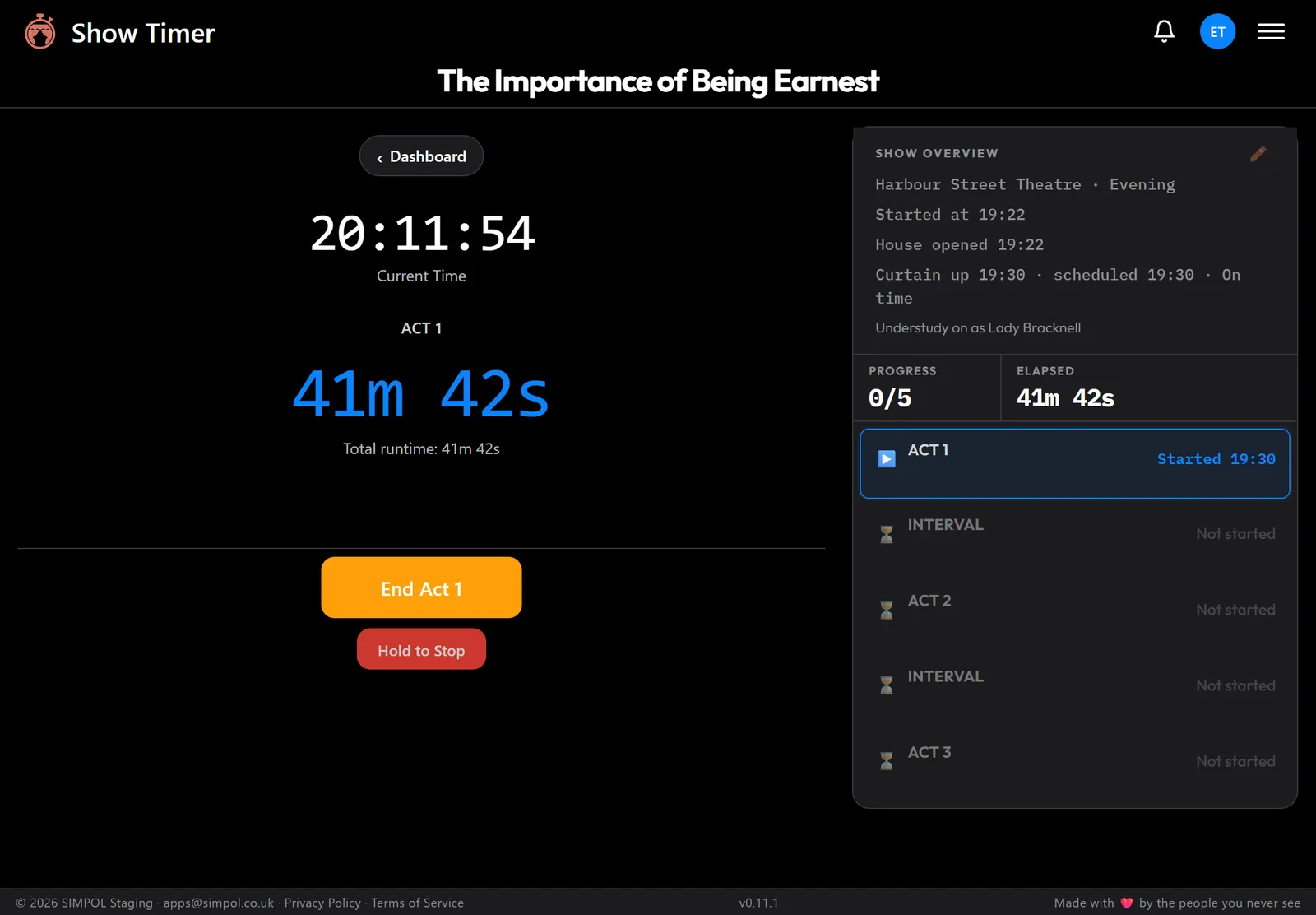
House open, clearances, acts and intervals, in the order your show runs. Set a production up once and start it with one press, or use Quick Start for two acts and an interval with nothing to set up.
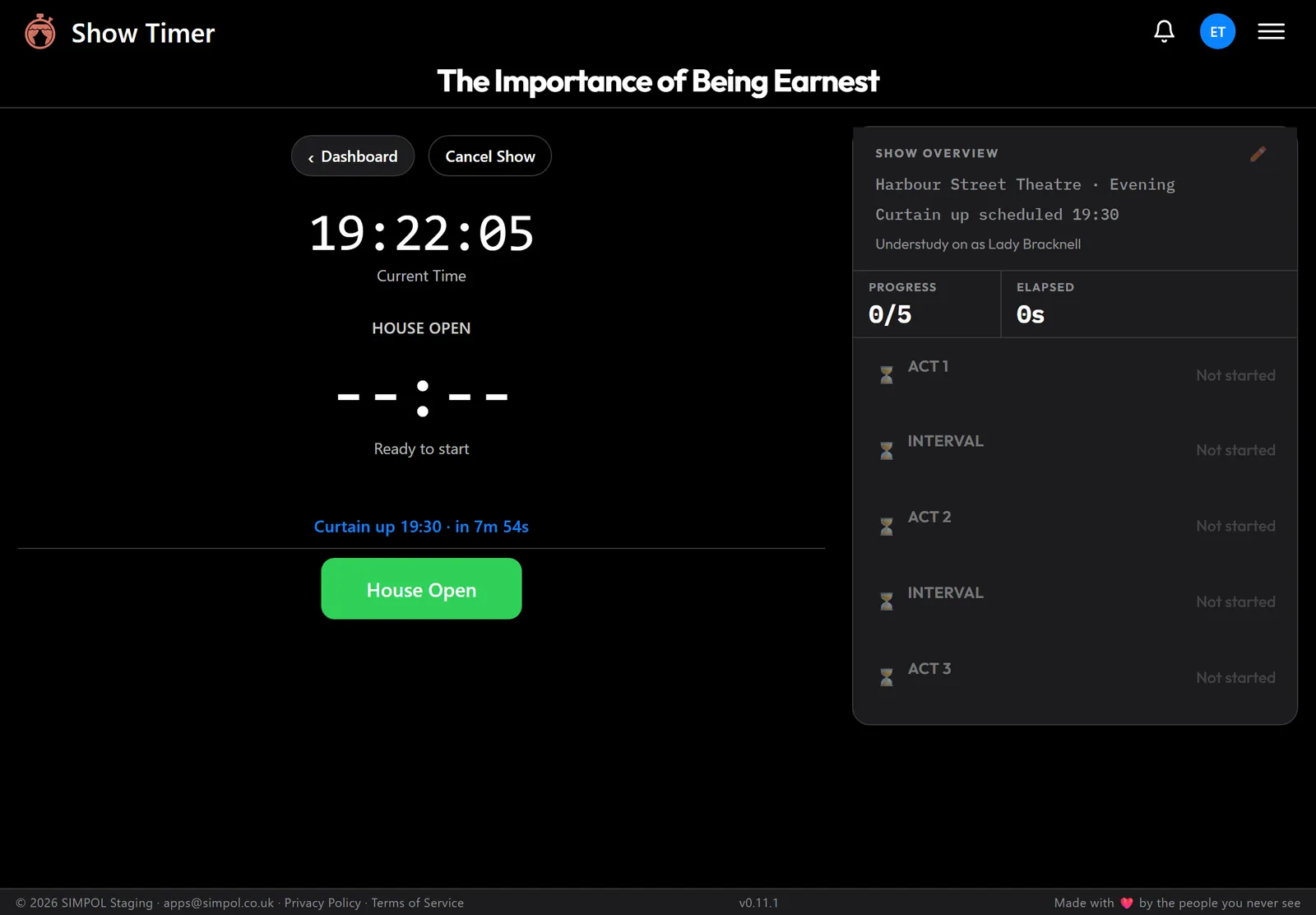
Give it the scheduled curtain-up time and it counts you down, then records how late (or early) you went up.
Stop it
Show stops you can’t call by accident
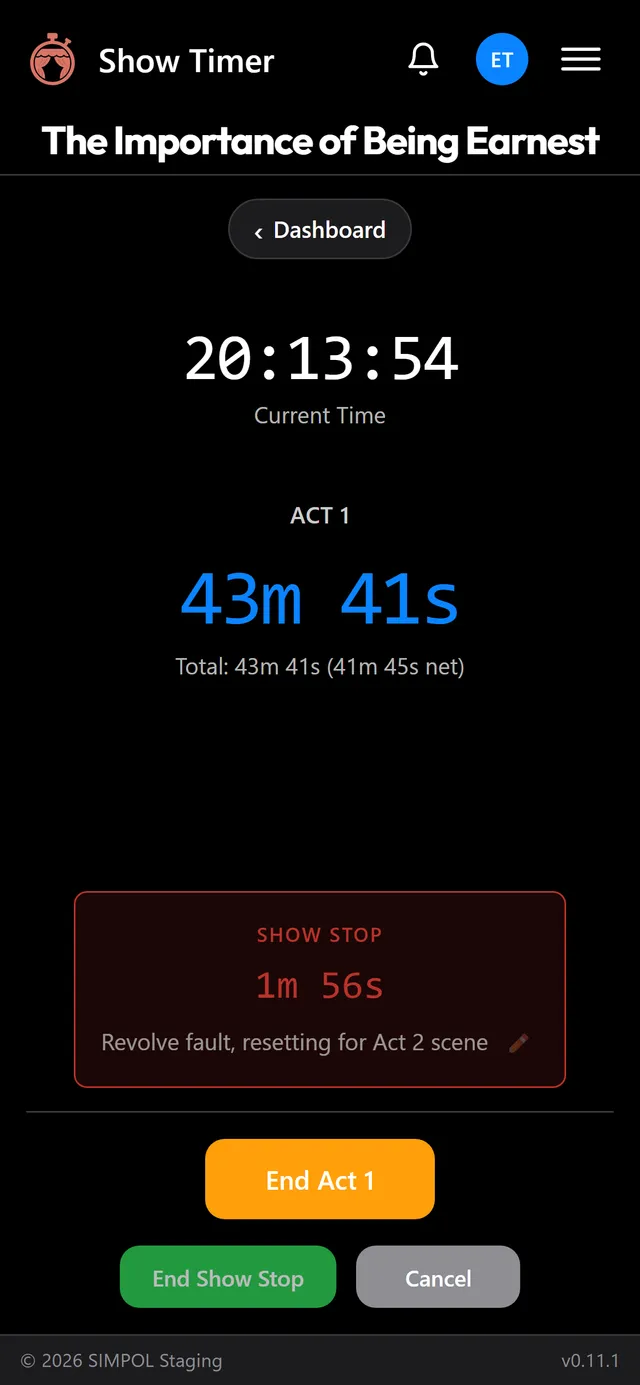
Show Stop is a press and hold, so a brush of the screen in the dark doesn’t stop your show. Type the reason while it’s happening, and the stop time is taken out of the playing time automatically.
Started one by mistake? Cancel it. Ended it too soon? Undo.
Report it
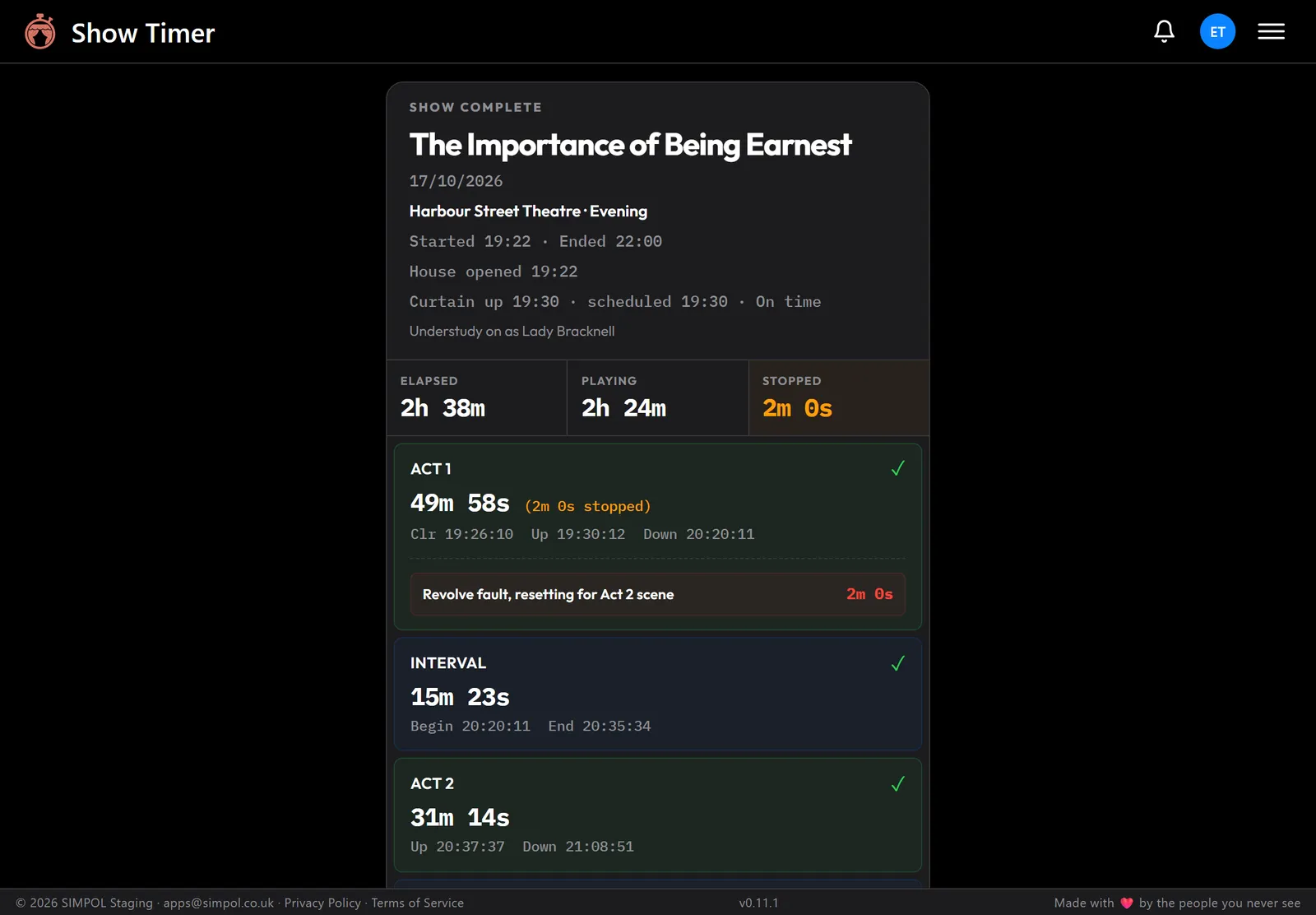
The show report writes itself
At curtain down you get every up and down time, total running time, playing time and stopped time, with each stop and its reason. Share it straight into your show report email or the company group chat.
Signed in, every performance goes into Show History, with average running times for each show.
Run the desk your way Pro
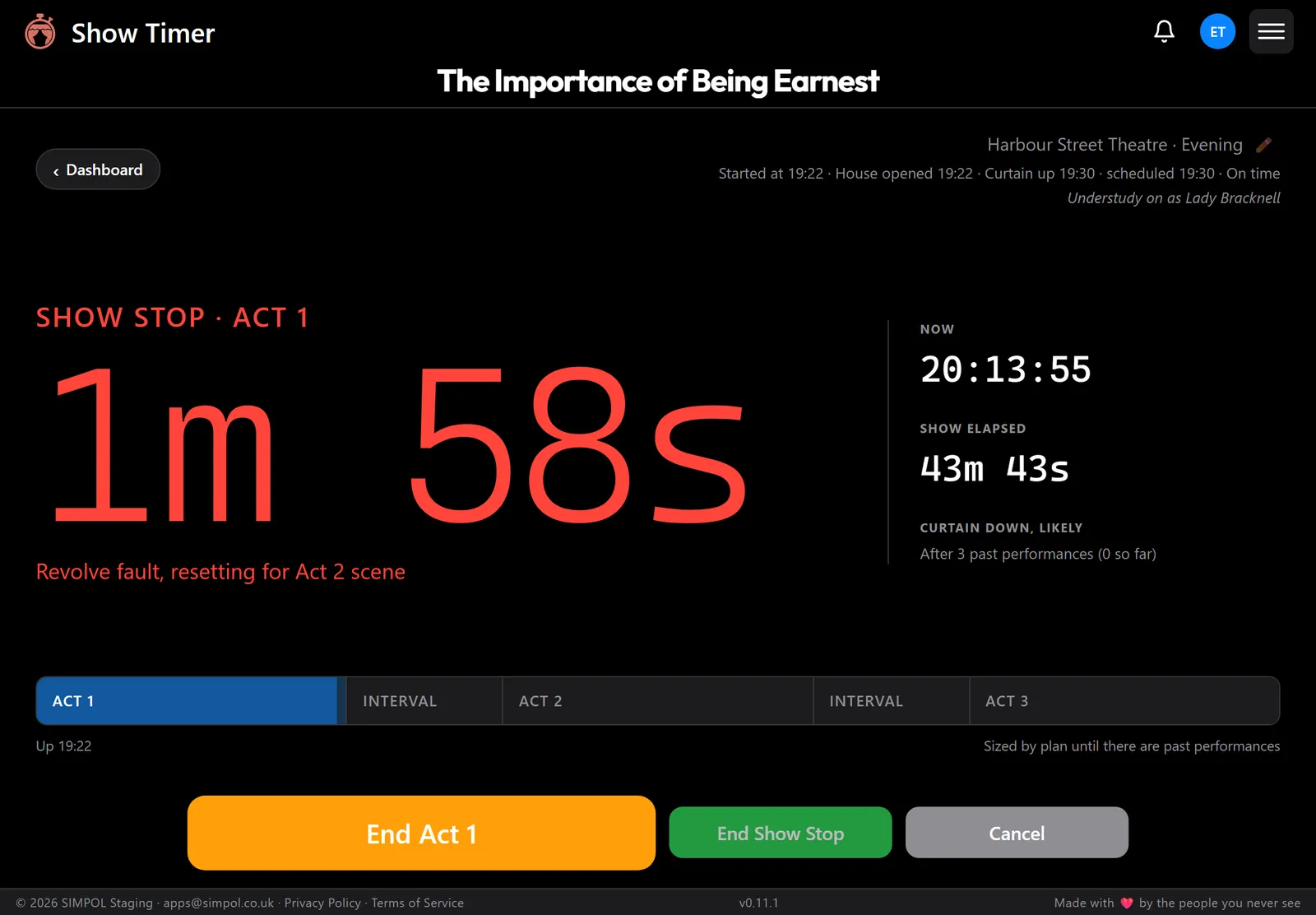
A Console layout you can read from across the desk
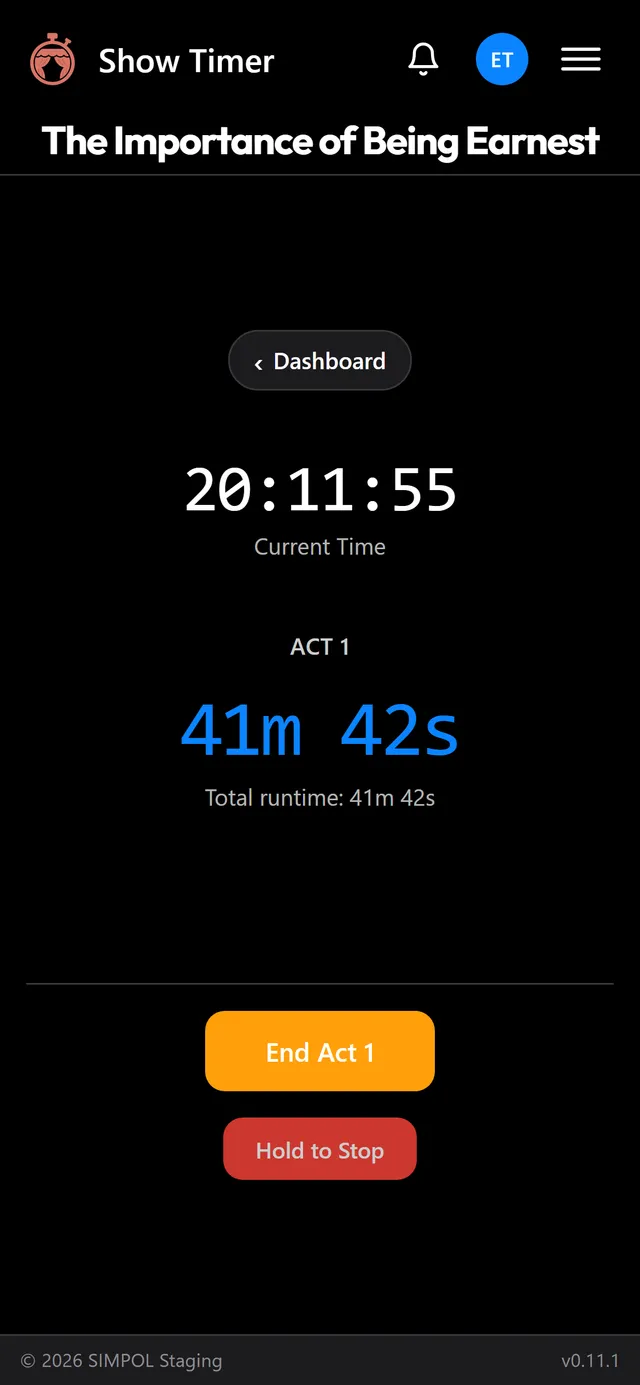
On a tablet or laptop, the Console layout turns the running time into one large number with the whole evening laid out underneath. During a stop, the stop takes over the screen.
Layouts are in early access and being switched on for users in stages.
Works offline
No signal in the prompt corner? It keeps timing.
Any device
Phone, tablet or laptop, in the browser. Nothing to install.
Picks up where you left off
Closed tab, flat battery, crashed browser: the show is still running.
Dark when you need it
A dark theme that won’t light up the wings.
No account
Open it and go
Free
- The full show timer
- Show stops and the show report
- One saved show on this device
Free account
Keep your shows
Free
- Everything without an account
- Three saved shows, synced
- Pick up a show on any device
- Your last 10 shows in history
Pro
For working stage managers
Free in early access
- Unlimited shows and full history
- Curtain-up countdown and late start
- Large and Console layouts
- Live display link, coming soon
Company
For teams and venues
Coming later
- Everything in Pro
- Several shows at once
- Team members and shared shows
Questions
- Does it work with no signal backstage?
- Yes. Once Show Timer has loaded it keeps running offline, and Quick Start needs no account at all. Signed in, your show syncs again when the signal comes back.
- Do I need to install anything?
- No. It runs in the browser on a phone, tablet or laptop. If you want it on your home screen, use your browser’s “Add to Home Screen” or “Install app” option.
- What if my phone dies in the middle of a show?
- If you’re signed in, open Show Timer on another device and the show is waiting on the Dashboard, still timing. Without an account the show is kept on the device it started on.
- What does it cost?
- Show Timer is free to use, and a free account keeps up to 3 shows. During early access Pro costs nothing, with its features being switched on for users in stages. When paid plans arrive we’ll say so well in advance, and nothing will be charged without you choosing a plan.
- Where is my data kept?
- Without an account, only on your device. With an account, your shows and history are also stored in your SIMPOL account so they can follow you between devices. The privacy policy has the details.